
Infobric Connect
A compliance product for people
who never asked for it
- Timeline
- Designed in 2023, supported and extended since
- Scope
- New web product + changes to existing 14,000-site platform
- My role
- Sole product designer
- Team
- 3 stakeholders;
2 development teams
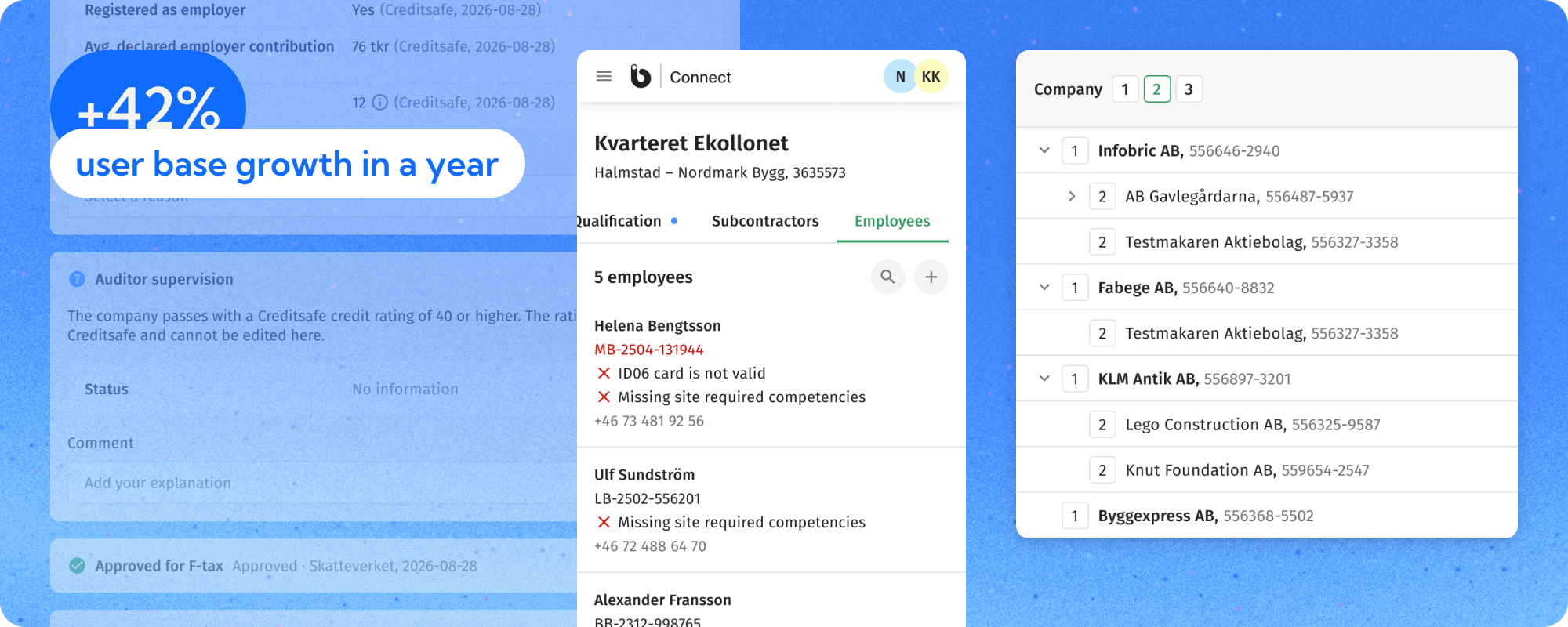
The problem
In construction, a main contractor rarely invites every company that ends up working on its site. They invite their direct subcontractors, who bring in their own, and those bring in theirs, forming a chain with no fixed depth. To build that chain, a site administrator has to work out who invited whom and who checked them, and then assemble it by hand. Before Connect there was no product for this at all: every step was manual, and a subcontractor’s workers could be added to a site only on the day they arrived. That left the site manager with a tough choice:
“Deny entrance and put the construction schedule at risk, or allow entrance and put the general contractor at risk. Most often people end up choosing the second option.”
Connect replaces the guessing with one guided path that every company in the chain follows, however deep it sits: confirm you intend to work on the site, pass a rule-based qualification, and pre-register the people and companies you plan to bring. Each level manages its own sub-tier, so the structure stays visible and accountable as it grows.
 Scope and goals
Design a new product to replace a slow, manual process.
 My contribution
Sole designer from the pilot concept through launch to today.
Constraints I designed for
High trust requirements
Fifteen automated rules against external registries (tax, debts, credit rating, employer status), plus documents, exceptions and full traceability.
Low-frequency users
Many subcontractor admins open the product for one project and may not return for months. They need to see what is expected of them at a glance.
Variable project rules
Every client has a different risk tolerance. The system had to be a flexible rule engine rather than a hard-coded form.
Multi-party workflow
Main contractor ↔ subcontractor ↔ sub-tier subcontractors. The chain has no fixed depth, and no level may see the levels above it.
Exploration
The first iteration followed a simple, linear flow: the site invites a subcontractor, the subcontractor answers qualification questions and uploads documents, and the site reviews and decides.
What made this challenging was a constraint around automation. The system verified all requirements against external registries, but the key stakeholder insisted on keeping that data secondary. Subcontractors were still expected to provide their own answers, with automated checks acting only as a reference point. I disagreed, and so did two of the three stakeholders: we argued that verified data should lead and the company's own answer should be the exception. The decision went the other way, and no argument we had at the time was going to move it.
This shaped the wireframes into a visible trade-off. The experience guides users step by step, keeping them as the primary source of information, while the registry data appears alongside as context. That reflected a real risk, registry data can be wrong, but it also meant trusting a manual answer over a verified one in the common case. I built it his way, with the registry's value shown next to every manual answer so the limitation stayed on screen and could be revisited rather than forgotten.
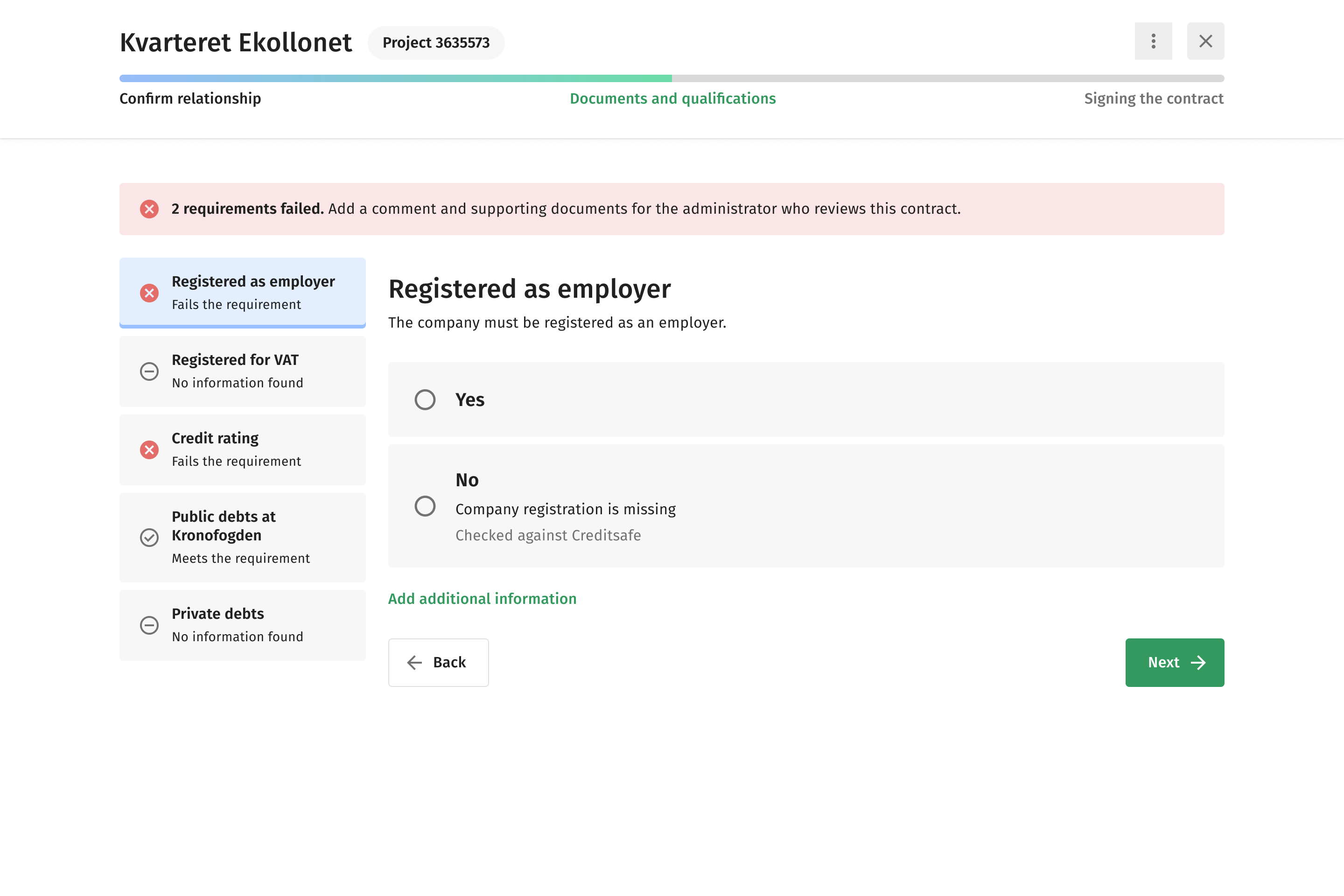
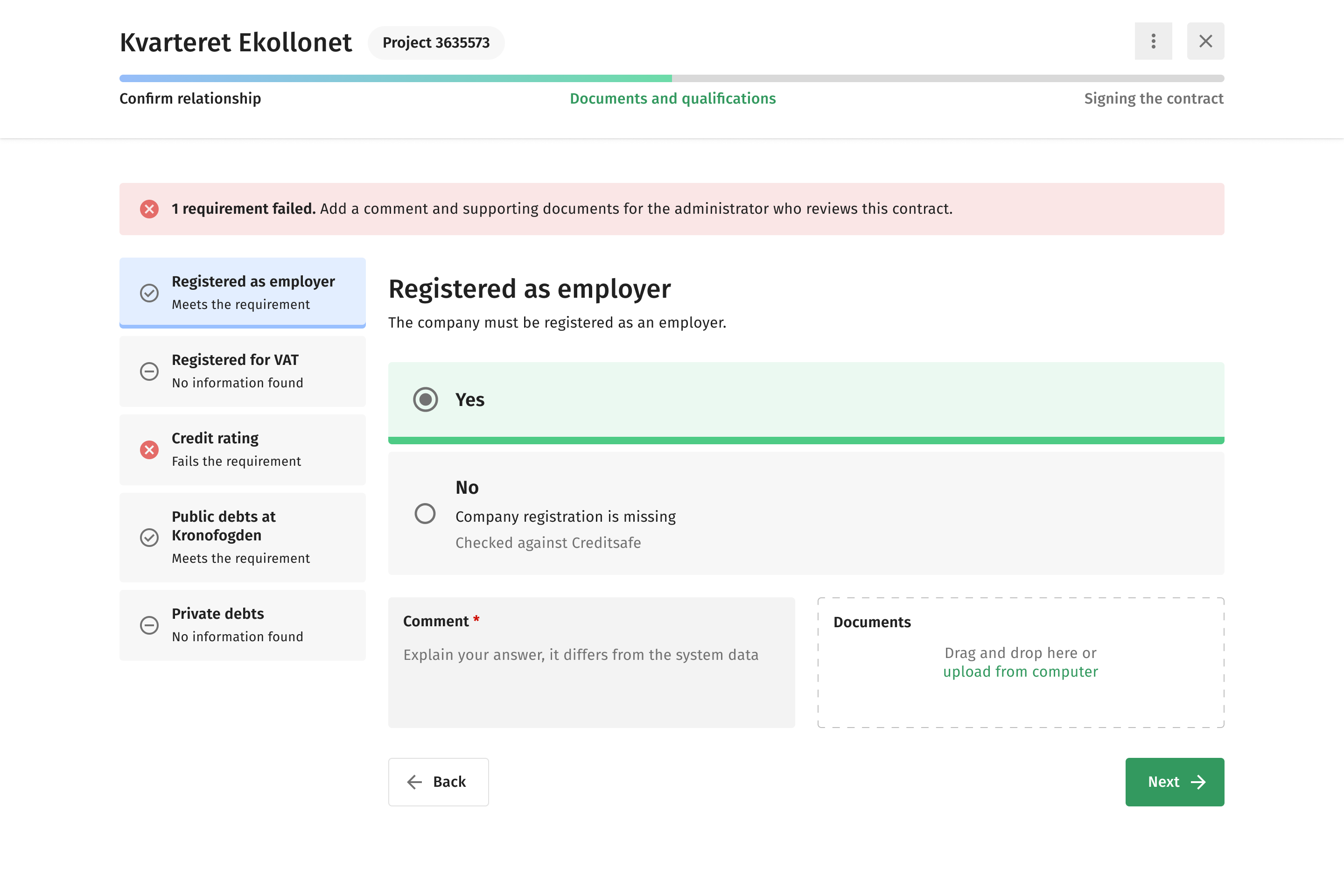
The wireframes were reviewed with one of the largest clients in the industry, in sessions run by the stakeholder. I was not in the room; two shifts came back.
 Clarifying intent early
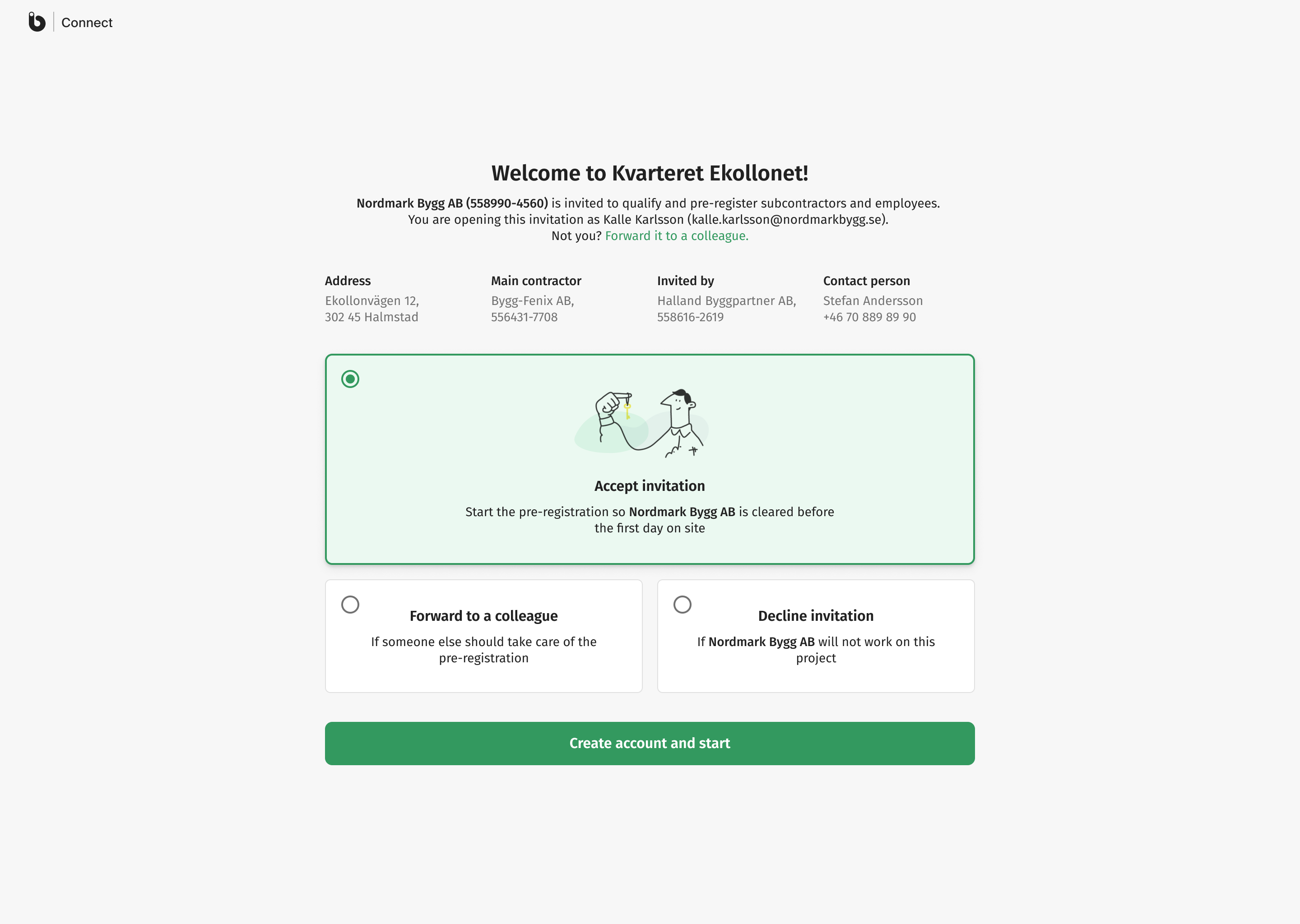
In the first flow a subcontractor who did not answer was invisible. The site administrator could not tell whether the invitation had been missed, the documents were still being gathered, or the company had simply decided not to come, and so could not plan around it. We split the invitation from qualification and added one explicit step, where the subcontractor confirms whether they intend to work on the site at all.
 Letting the data lead
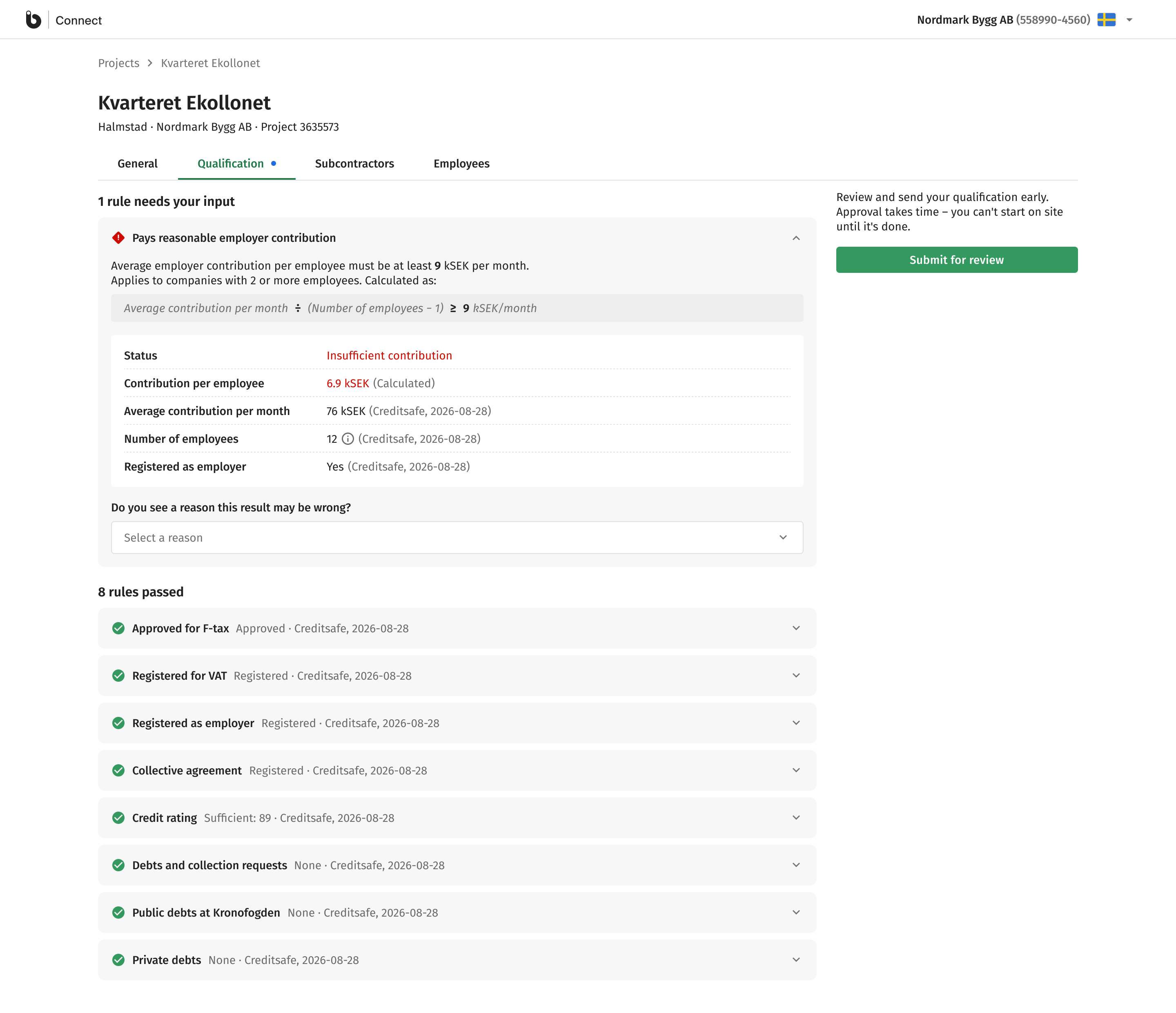
The client trusted the registry data and wanted speed, so it became the baseline in one session. A company can still contradict it, but only with a predefined reason and evidence, and every automated value shows its source and date beside it. Clear cases now can pass without anyone reading them.
The result kept what each side was right about. The client was right that the verified data is correct for almost every company, so it leads and clear cases pass without anyone reading them. The stakeholder was right that registries are sometimes wrong, so a company can still contradict a value, with a predefined reason and evidence. What changed is the proportion: his safeguard went from being the primary flow to being the fix for a corner case.
Solution
As the work progressed with the client, the scope naturally expanded beyond the initial qualification flow. New requirements surfaced around subcontractors registering their own subcontractors and employees (called pre-registration in the construction industry).
What started as a simple "submit documents and wait" model evolved into a multi-stage collaboration where both sides have visibility at every step. The final workflow breaks the process into four distinct blocks.
Scales across projects and companies
- Invitation
- Qualification
- Pre-registering subcontractors
- Pre-registering employees


Split from qualification: intent first
Run in parallel
(potentially by different people)
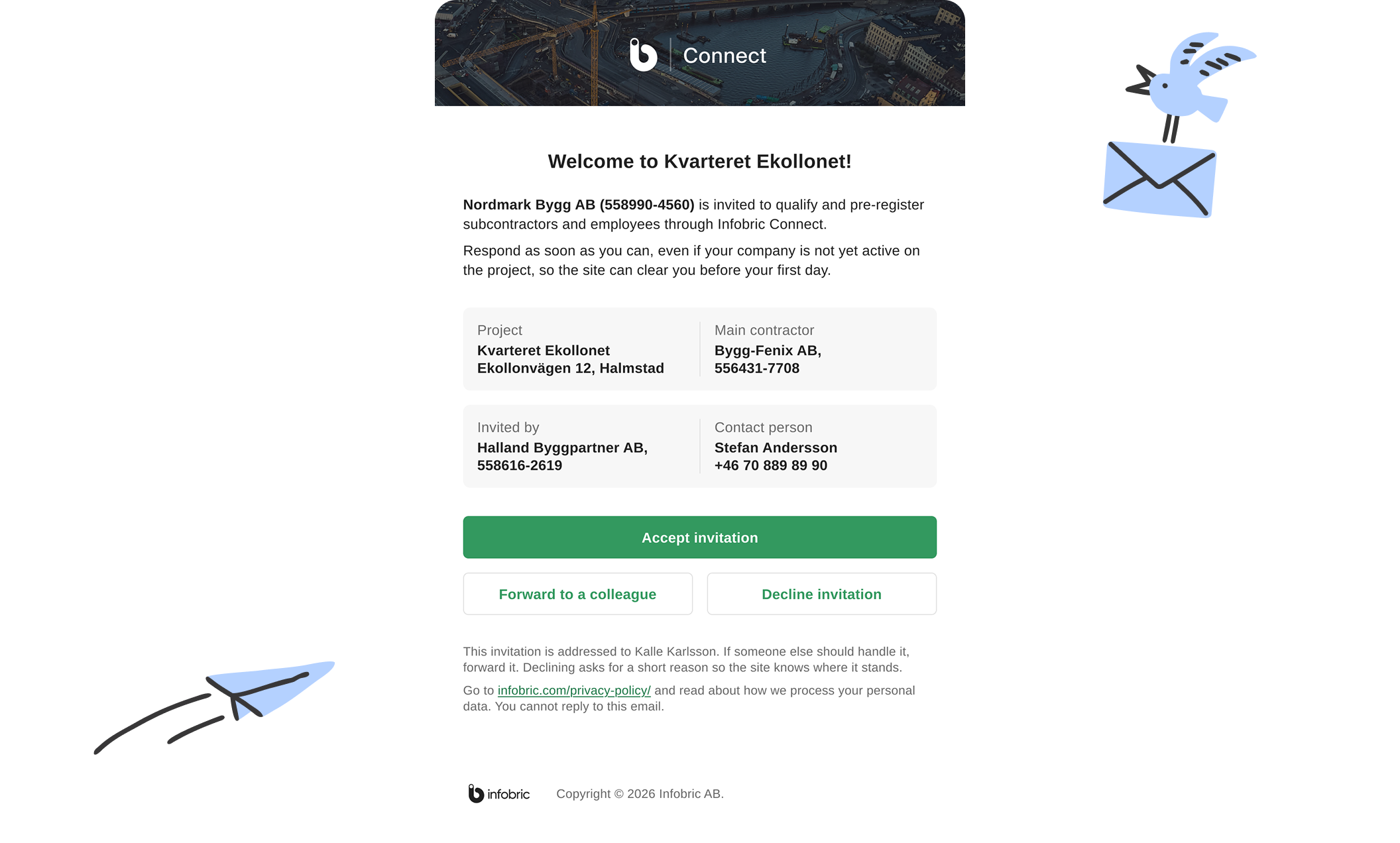
Invitation
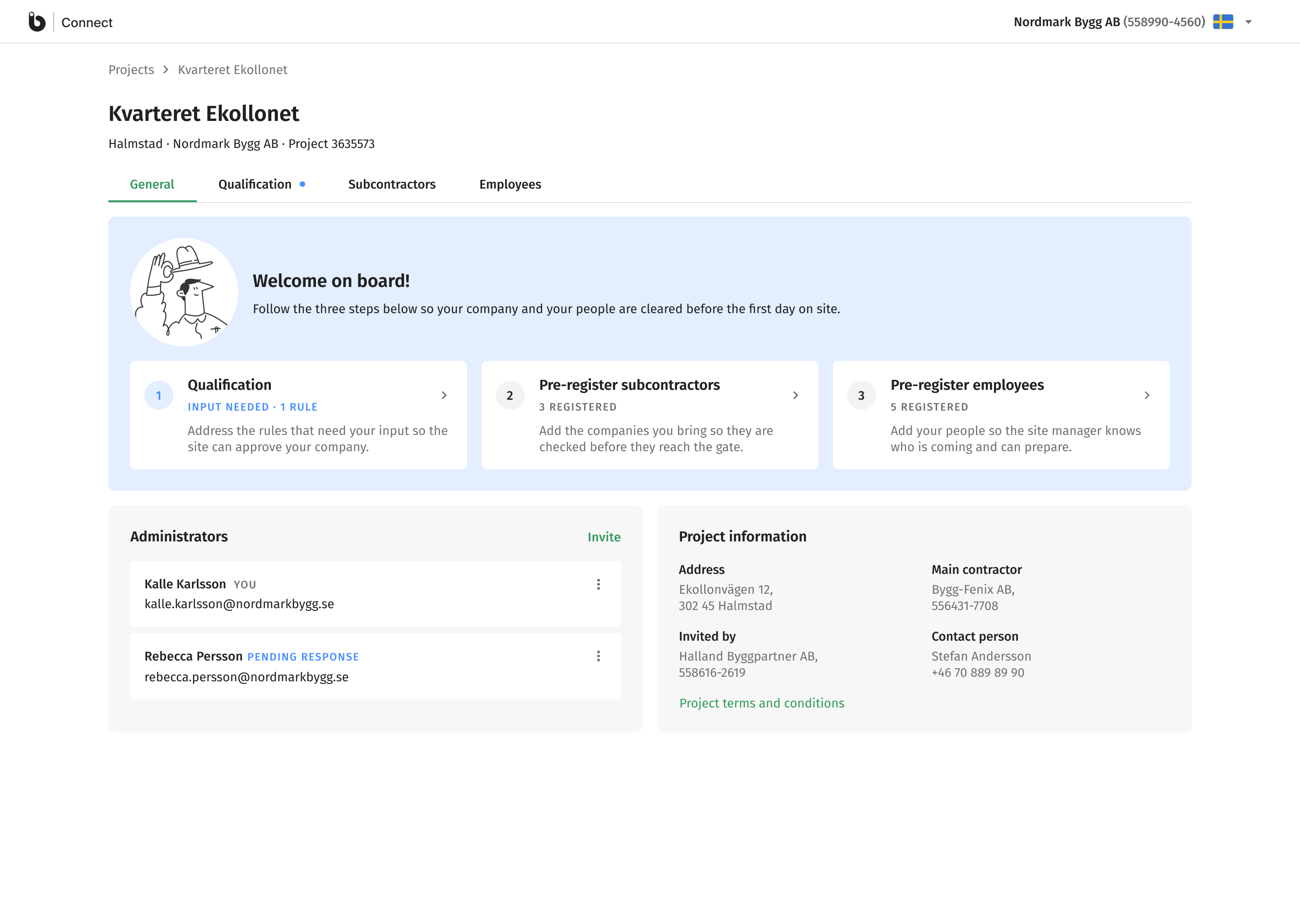
The site administrator invites subcontractors to join the project. But instead of jumping straight into documentation, the subcontractor first confirms whether they actually intend to work on the site. This one step eliminates the biggest source of ambiguity in the old process: the site no longer has to guess whether silence means "preparing" or "not coming."
Qualification
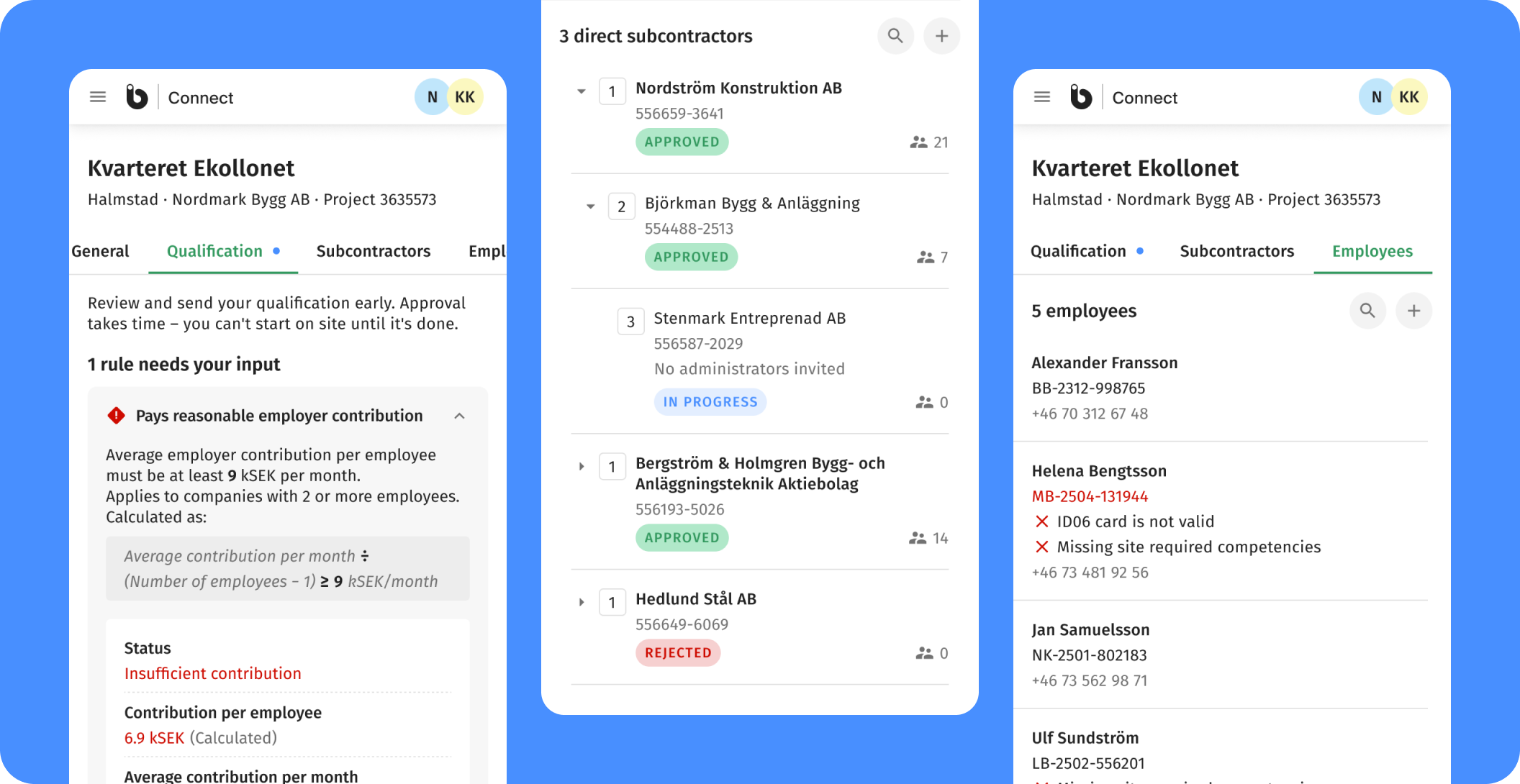
Once the invitation is accepted and the relationship between subcontractor and site is confirmed, qualification takes center stage.
It's a structured set of compliance and eligibility checks, defined centrally and applied consistently across every company in the chain.
Qualification isn't a one-and-done thing. After a company is approved, the system continues to monitor their data on an ongoing basis. If something changes down the line, say a registration expires or a new debt shows up, the system catches it and raises a flag. The site admin doesn't need to go back and re-check everyone manually.
Pre-registering subcontractors and employees
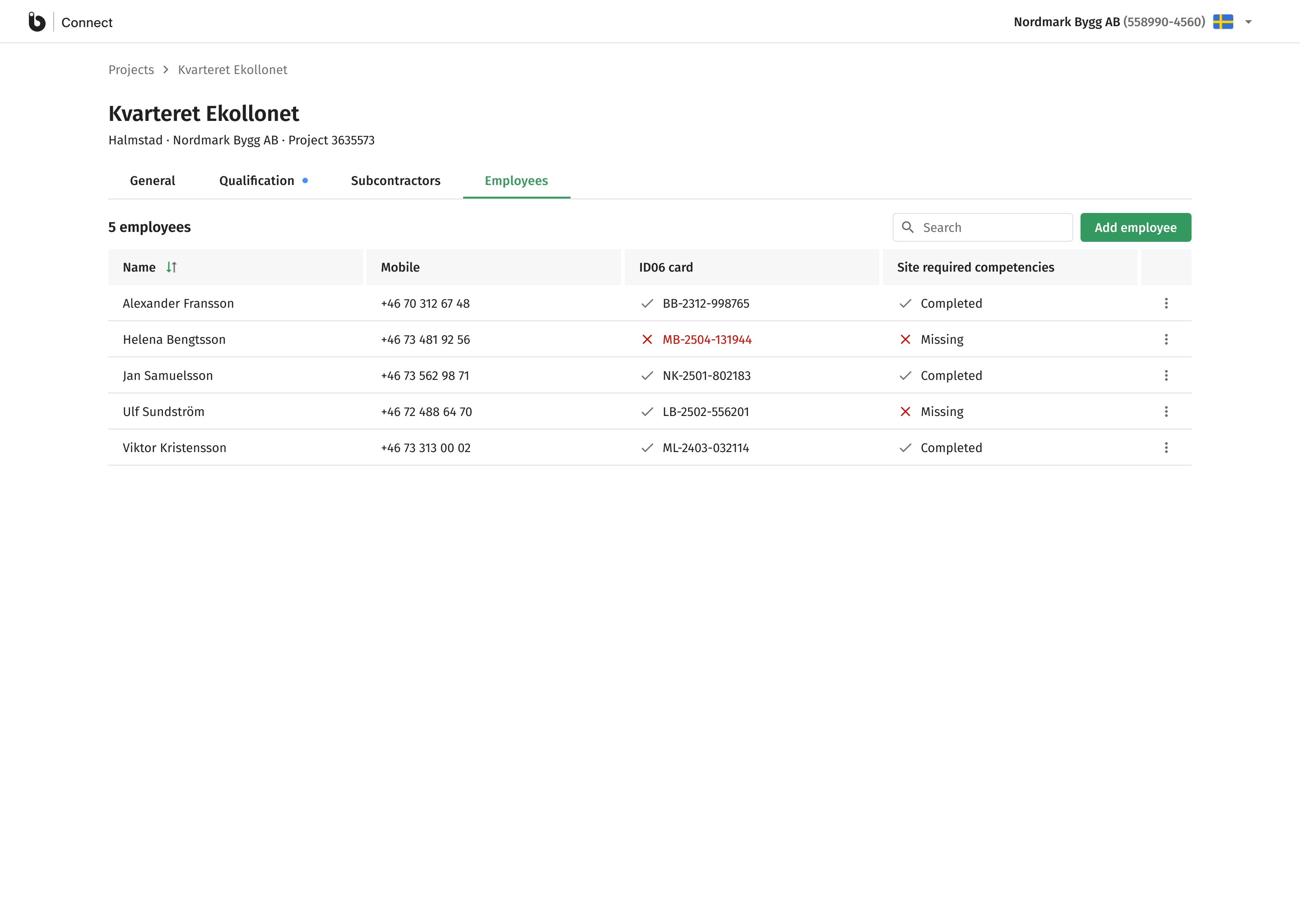
After qualification the subcontractor lists the people and companies they plan to bring: their own employees and any subcontractors further down the chain. It is an early heads-up: the site sees who is expected and can flag issues before they become problems. Plans change, and the system is built for that. Adding a person later quietly reopens the list.
Every screen works on mobile
The full experience works on mobile because in construction, most decisions happen away from a desk.
Where it landed
What started as a pilot with one large contractor is now part of Infobric's premium package, and more big construction sites choose it every year. On the same eleven-week window year over year, users grew 42%, and around 10,000 people now work in Connect in a single month. Growth like that belongs to the whole product, sales included; the design's job was to make sure every new site's subcontractors could get from invited to qualified without a manual, and that job scaled with it.